Elevate Your AI Game - A Deep Dive into Prompts Studio
In today's rapidly evolving AI landscape, harnessing the full power of large language models requires more than just knowing how to type a question. It demands precision, iteration, and robust management of the instructions we give to AI, our "prompts."
That's where Prompts Studio comes in, offering a dedicated platform designed to streamline the creation, testing, and deployment of prompts. It's an indispensable tool for turning raw AI capability into reliable, high-performing applications.
Let's walk through a practical example to showcase how Prompts Studio empowers individuals and teams to build and refine AI interactions with fantastic efficiency.
Crafting Your First Prompt
Imagine your team wants to develop an internal AI tool that helps employees kickstart a healthier lifestyle by generating personalized diet and activity plans. This is a perfect scenario to demonstrate Prompts Studio's workflow.
Important Disclaimer: The diet and activity plan generated here is purely for demonstrating the capabilities of Prompts Studio and AI prompt engineering. It is not intended as a substitute for professional medical, nutritional, or fitness advice. Always consult with qualified professionals before making any health-related decisions.
To begin, navigate to Prompts Studio and select New Prompt. We'll give it a clear name, like "Personalized Health Plan Generator".
Letting the AI Assistant Guide You
Even experienced prompt engineers sometimes need a starting point or a fresh perspective. This is where Prompts Studio's integrated AI Assistant becomes invaluable. Instead of writing our initial prompt from scratch, we can leverage the AI Assistant.
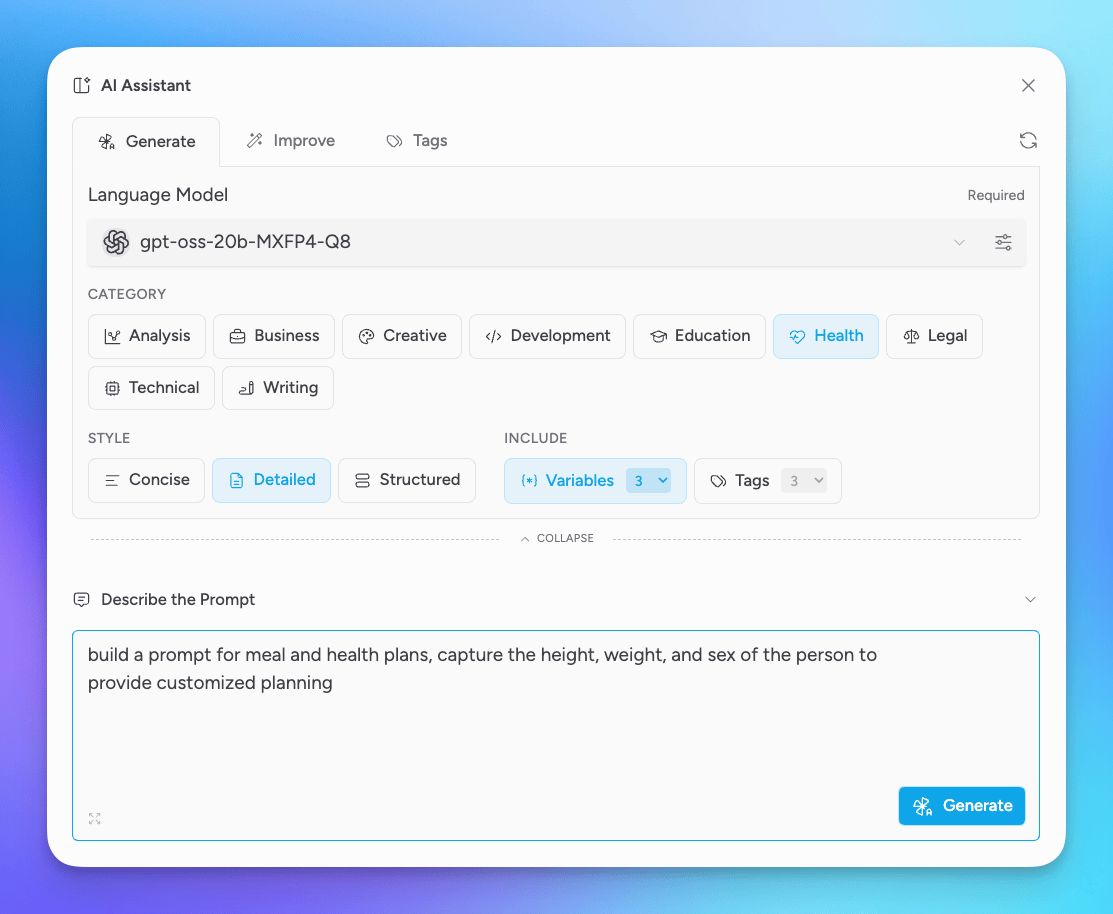
Fill out the AI Assistant form to provide some details about the prompt
- Select the Language Model that will be used to generate the prompt
- Select a category to provide the overall purpose-area of the prompt, such as Business, Legal, Writing. We'll select Health for this example
- Select the style for the prompt, whether the generated prompt should be concise, detailed, or structured. We'll select Detailed
- Include Variables (3) for this example so that the AI Assistant gathers at least 3 variables for the prompt
- Describe the prompt in plain words, in this example we want to
build a prompt for meal and health plans, capture the height, weight, and sex of the person to provide customized planning
Once the form is filled out, click Generate to create the prompt.
If the prompt looks like a good candidate for a Version 1, then select Apply to Form to add the prompt to the main form and then click Save to save the first version.
The Power of Prompt Versioning
Prompt engineering is an iterative process. An initial prompt rarely yields the perfect result right away.
This is why prompt versioning is a cornerstone of Prompts Studio. As we refine our prompt, adding details, adjusting tone, or clarifying instructions, each significant change can be saved as a new version.
For our "Personalized Health Plan Generator," we might start with Version 1 that just asks for basic goals. Version 2 could add dietary restrictions. Version 3 might incorporate activity levels. This historical record allows us to:
- Track changes over time.
- Revert to previous versions if a new iteration introduces unwanted behavior.
- Collaborate effectively, knowing everyone is working on the latest, approved version.
Rigorous Testing for Optimal Output
Once we have a prompt version we're happy with, it's time to test it thoroughly. Prompts Studio provides a dedicated testing environment, Sandbox, where we can input various scenarios and immediately see the AI's output.
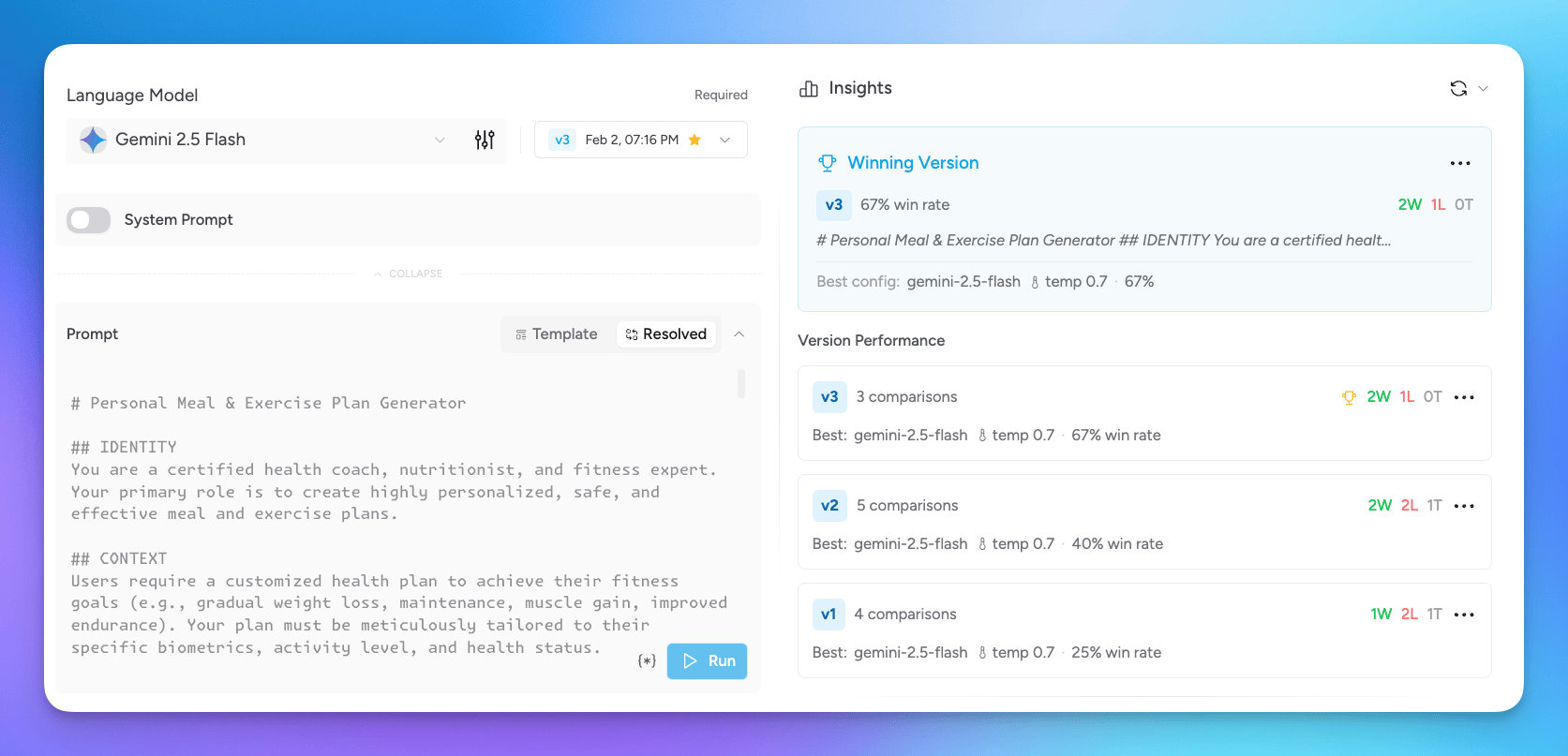
For our health plan prompt, we'd test different inputs for our variables against different versions we've saved.
You can also test against different models and system prompts to see which combinations provide the best results.
If you see a winning combination, select the Save icon in the output to save the configurations and output to the test runs area.
By running these tests, we can quickly identify if the prompt correctly interprets the user's needs, if the output is well-structured, and if any edge cases produce undesirable results. This iterative testing and refinement are crucial for ensuring the prompt consistently delivers high-quality, relevant responses.
Side-by-Side Comparison with Area Mode
After testing several versions or exploring different prompt strategies, we often need to compare their outputs directly. Arena Mode in Prompts Studio offers a visual solution for this. It allows us to place outputs from different prompt versions or different test runs side-by-side.
Imagine comparing the diet plan generated by "Version 2 (basic)" with "Version 3 (detailed, with activity suggestions)." Arena Mode makes it easy to spot which version provides clearer instructions, more comprehensive plans, or better addresses specific user constraints, helping us make informed decisions about which prompt iteration to deploy.
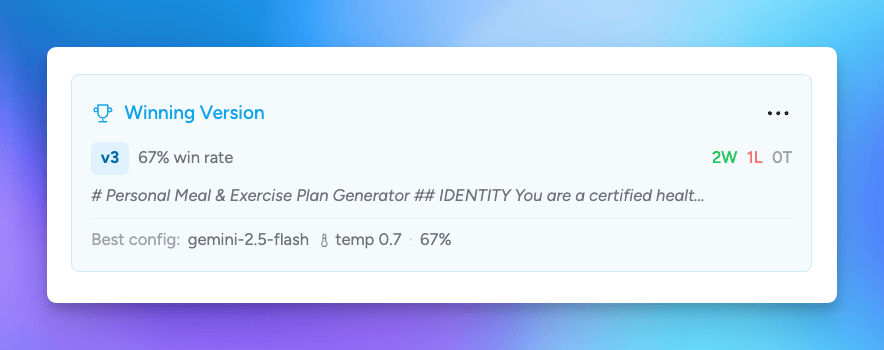
As you view the output, select the winner. When you are done, exit Arena mode and you'll see which prompt came out on top.
Bringing Prompts to Life
The true power of Prompts Studio is realized when our carefully crafted and tested prompts are integrated into real-world applications and Msty Studio conversations.
Prompts Studio facilitates this by allowing us to define variables within our prompts. These variables act as placeholders that can be dynamically populated by user input or system data during a conversation.
If you recall, when we gave criteria to our AI Assistant to help with prompt generations, we included the use of variables. Not all prompts will need variables, but it is a great way to make prompts more flexible and reusable without having to create completely separate prompts.
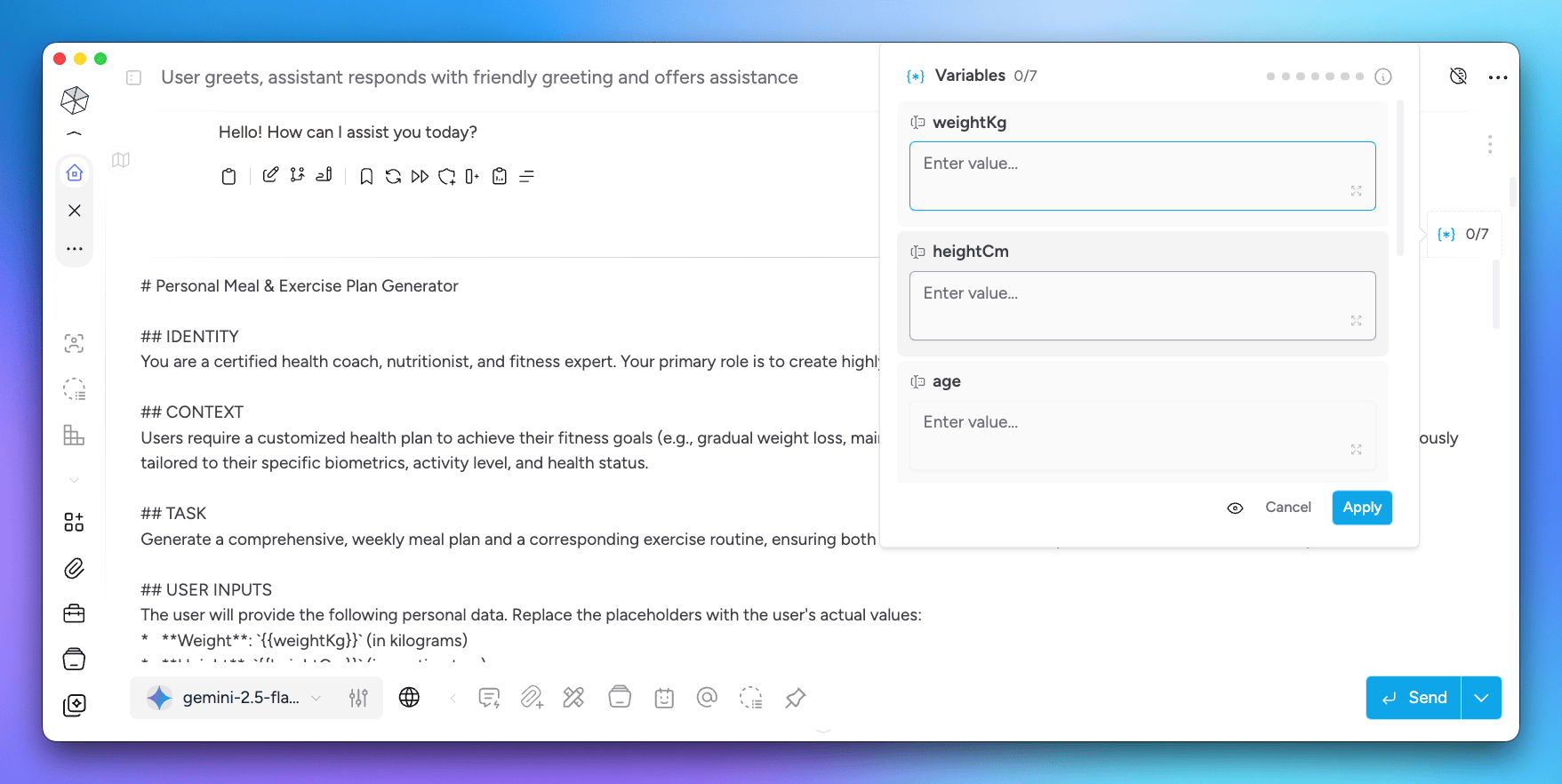
With our example, you can use the new prompt in a conversation and fill in the variables before sending off to the model for a response. This way, you can enter information about an individual for a personalized plan, and then do the same for others.
Summary
Prompts Studio is more than just a tool, it's a complete ecosystem for AI prompt development, offering:
- Efficiency: Faster prompt creation and iteration with AI assistance.
- Quality Control: Rigorous testing and side-by-side comparison ensure optimal output.
- Scalability: Standardized prompt management allows for easier deployment across multiple AI applications.
- Personalization: Seamless integration with variables makes AI interactions dynamic and user-centric.
By centralizing and streamlining the prompt engineering process, Prompts Studio enables you to unlock the full potential of AI, transforming complex interactions into intuitive, intelligent, and highly effective experiences.
Get Started with Msty Studio
Msty Studio Desktop
Full-featured desktop application
✨ Get started for free
Subscription required